CATEGORY:

All Categories

image description

CMM Styli and Accessories

MITUTOYO

view
x

Even the most advanced coordinate measuring machine fails to deliver accurate results without proper probe contacts. Using worn, dirty, or incorrect stylus tips introduces subtle measurement errors that ruin critical quality inspection checks. Choosing the right CMM Styli and Accessories solves this accuracy issue completely. High-grade styli ensure precise physical contact with workpiece surfaces during high-speed touch-trigger and scanning routines.

Key Features of CMM Styli and Accessories

Quality engineers rely on specialized probe hardware for several core design advantages:

  • Diverse Tip Materials: Extremely hard Ruby, Silicon Nitride, and Zirconia spheres resist abrasive surface wear.

  • Ultra-Rigid Stems: Carbon fiber, tungsten carbide, and stainless steel stems prevent bending deflection under probing pressure.

  • Modular Extension Bars: Reach deep internal features easily by adding lightweight probe extension rods.

  • Precision Star and Disc Styli: Measure complex side grooves, undercuts, and internal threads without changing probe heads.

Primary Industrial Applications

Manufacturers across high-precision industries use specialized styli setups for critical quality checks:

  • Aerospace Components: Inspect deep turbine blade roots and complex internal cooling channels with extended styli.

  • Automotive Engine Inspection: Reach recessed cylinder bore grooves and valvetrain features using star styli configurations.

  • Medical Device QC: Measure tiny orthopedic screws, dental implants, and micro-valves with ultra-fine sphere tips.

  • Precision Machining: Verify internal O-ring grooves, threaded holes, and side wall tolerances accurately.

Simple Maintenance Steps for Peak Accuracy

Follow these simple maintenance steps to maintain probe precision during daily shifts:

  1. Clean the Stylus Tip: Wipe the contact sphere with a lint-free cloth and isopropyl alcohol before every run.

  2. Inspect for Material Transfer: Check the tip under magnification for aluminum or soft metal buildup.

  3. Calibrate the Probe: Run an automated stylus calibration against a certified reference sphere daily.

  4. Use Torque Wrenches: Tighten stylus joints using specified torque tools to prevent thread damage.

  5. Store Styli Safely: Place unused probe assemblies inside protective padded cases to avoid bent stems.

Investing in premium CMM Styli and Accessories protects your metrology setup against hidden inspection errors. Upgrade your probe kit today to ensure consistent measurement accuracy across every part.

A wide range of contact and non-contact probes enables numerous kinds of measurement to be performed, all backed up by comprehensive analysis software for interpreting measurement results in the timely manner so essential for keeping up with today’s fast-paced production
Buy Now
image description

Pi Measure

NIHON DOKI

view
x

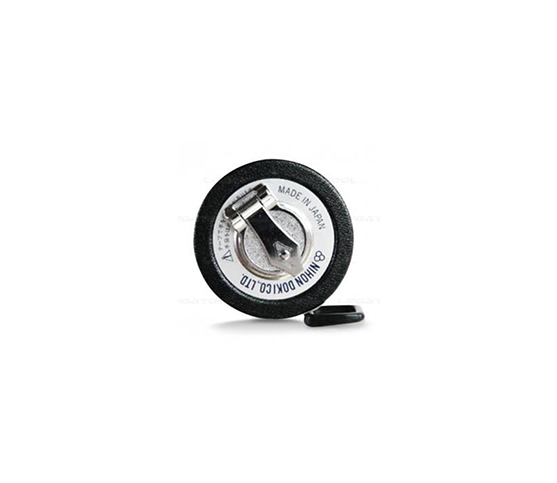
Accurate Diameter Measurement Made Simple with Pi Measure

Measuring large cylindrical objects with standard calipers often creates alignment errors. However, quality technicians need fast, reliable ways to verify outer diameters on the shop floor. Fortunately, using a Pi Measure tape solves this challenge by converting circumferential measurements directly into exact diameter readings.

How Pi Measure Tapes Deliver High Precision

First, standard measuring tapes measure linear perimeter distance. In contrast, a Pi Measure tape utilizes precise mathematical scaling based on $\pi$ ($3.14159$). Consequently, technicians read the true diameter directly from the vernier scale without performing manual math calculations.

  • Direct Reading: First, it eliminates calculation mistakes by displaying diameter dimensions instantly.

  • Flexible Vernier Scale: Next, fine graduations allow operators to measure down to $0.01\text{ mm}$ or $0.001\text{ inches}$.

  • Constant Tension: Finally, flexible spring steel wraps smoothly around irregular or non-cylindrical workpieces.

Durable Design for Demanding Job Sites

In reality, industrial shop environments subject tools to oil, dirt, and heavy wear. Therefore, high-grade stainless steel or body-grade spring steel constructs each Pi Measure tape. Additionally, laser-etched markings resist abrasion, ensuring high contrast under bright factory lights. Overall, this rugged design maintains strict thermal stability across broad temperature ranges.

Key Applications Across Heavy Industries

As a result, manufacturing facilities deploy pi tapes across numerous industrial fields:

  • Pipe and Tube Production: For example, it verifies outer diameters of large steel pipes rapidly.

  • Plastic Extrusion: Similarly, it monitors roundness and wall expansion on thin-walled plastic tubing.

  • Tire and Rubber Manufacturing: Finally, it checks wheel rim dimensions and rubber casing circumferences accurately.

Elevate Your Precision Measurement Today

In conclusion, do not let bulky calipers slow down your pipe and cylinder inspection workflows. Instead, adopting a Pi Measure tape streamlines outer diameter checks and improves measurement repeatability. So, contact our metrology team today to explore our complete tape catalog and request a quote!

andard tension 20N at 20℃ Diameter tape by 0.5mm on one side, and Circumference tape by 1mm on the reverse Selection of range 3m ,5m or 10m
Buy Now
image description

MNI-PROCESSOR Printer DP-1VR

MITUTOYO

view
x

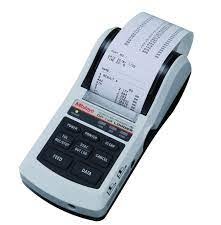
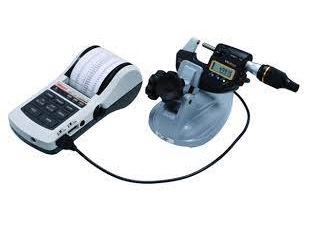
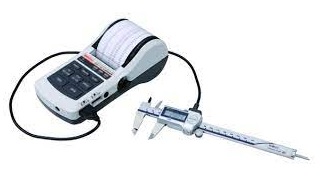
Manual measurement logging creates major quality control bottlenecks and introduces typing errors on shop floors. Technicians lose valuable time writing down caliper readings or copying data onto paper logs manually. The MINI-PROCESSOR Printer DP-1VR solves this record-keeping problem completely. This compact data processor connects directly to digital measuring tools to print live measurement statistics instantly.

Key Features of the DP-1VR Mini-Processor

Quality control teams choose this portable data printer for several essential operational features:

  • One-Touch Printing: Print live measurement values directly from connected gages with a single button press.

  • Built-In Statistical Calculations: Calculate histogram values, mean, maximum, minimum, and standard deviation automatically.

  • Go/No-Go Judgment: Set upper and lower tolerance limits to display clear pass-or-fail results on printed receipts.

  • Versatile Power Options: Run the unit using an AC adapter or standard AA batteries for full portability across the workshop.

Primary Industrial Applications

Inspectors and machinists rely on this data processor across demanding manufacturing environments:

  • Shop Floor Data Collection: Print instant paper inspection records right beside active CNC machining centers.

  • Statistical Process Control (SPC): Track batch manufacturing trends and process capabilities without complex external computer setups.

  • Incoming Receiving Inspections: Generate immediate hard-copy records for incoming raw materials and vendor components.

  • ISO Quality Compliance: File permanent paper measurement receipts directly into job traveler folders for audit tracking.

Simple Steps for Quick Printer Setup

Follow these straightforward steps to start printing quality data within minutes:

  1. Connect the Gage Cable: Plug the Digimatic cable directly from your gage into the printer port.

  2. Install Thermal Paper: Load a fresh roll of thermal paper into the top paper compartment securely.

  3. Power On the Unit: Press the power button and select your preferred statistical calculation mode.

  4. Set Tolerance Limits: Input upper and lower dimensional limits using the front keypad menu.

  5. Print Measurements: Press the data button on your gage to print live values and statistical summaries automatically.

Investing in a MINI-PROCESSOR Printer DP-1VR speeds up quality documentation and eliminates manual logging mistakes. Upgrade your inspection station today to maintain complete traceability across all daily quality checks.

Data processing printer for quality control It not only print data, but performs a variety of statistical analyses, draw histograms and D charts and also perform complex operations on X-bar R control charts
Buy Now
image description

MULTIPLEXER MUX-10F

MITUTOYO

view
x

Streamline Measurement Workflows with the MUX-10F

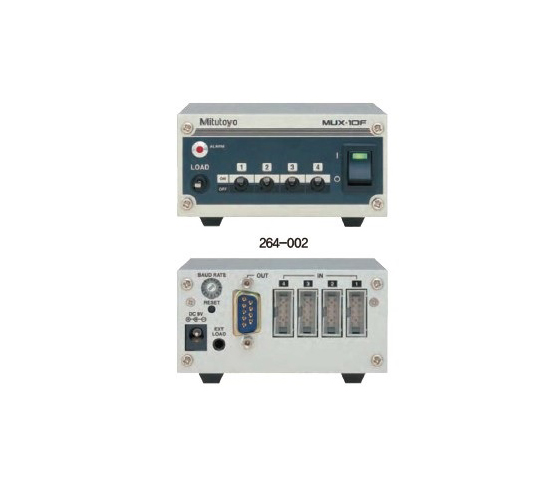
Modern manufacturing inspection stations demand rapid data collection. However, manually recording dimensions from multiple digital gages slows down quality control operators. Fortunately, the MULTIPLEXER MUX-10F solves this bottleneck by transferring measurement data directly into central software systems.

Four-Channel Digimatic Data Integration

First, this microcontrolled interface unit features four dedicated Digimatic input channels. Consequently, quality control technicians connect up to four measuring instruments simultaneously. In addition, the unit converts incoming Digimatic signals into standard RS-232C output formats seamlessly.

  • Multi-Gage Support: First, it connects micrometers, calipers, and indicator gages together.

  • Foot Switch Interface: Next, operators press an optional foot switch to trigger hands-free data transfer.

  • Flexible Baud Rates: Finally, user settings adjust transmission speeds from 300 to 19,200 baud effortlessly.

Compact Design for Busy Quality Workstations

In reality, crowded shop floor inspection stations require compact hardware designs. Therefore, the MUX-10F utilizes a space-saving footprint measuring just $91.4 \times 92.5 \times 50.4\text{ mm}$. Additionally, clear status LEDs give immediate visual feedback during data transmission cycles. Overall, this rugged unit eliminates human transcription errors entirely.

Key Applications Across Quality Assurance

As a result, manufacturing plants deploy this interface across critical quality control environments:

  • Multi-Point Inspection: For example, it records several dimensional check points on complex machined parts at once.

  • Statistical Process Control (SPC): Similarly, it feeds real-time gage measurements directly into SPC analytical software.

  • Batch Part Verification: Finally, it speeds up high-volume component checks across production shifts.

Upgrade Your Data Management System Today

In conclusion, do not let manual data entry delay your quality assurance reporting. Instead, deploying the MULTIPLEXER MUX-10F accelerates measurement logging and guarantees data integrity across your plant. So, contact our metrology automation team today to request a quote!

Digimatic interface RS-232 unit. 4 gages input Measurement data transfer device that converts incoming output data to RS-232C an d output it to external device such as PC
Buy Now
image description

DIGITAL SCALE UNIT

MITUTOYO

view
x
Transform Your Accuracy with a Digital Scale Unit

Precision manual measurement often leaves room for error. A Digital Scale Unit eliminates this risk by providing real-time, high-accuracy linear data. These units mount directly onto your machinery, such as lathes, milling machines, or specialized workbenches. They turn traditional equipment into high-performance digital systems instantly.

Why Every Workshop Needs Digital Scales

Reliability is the core of great machining. A Digital Scale Unit tracks movement with microscopic precision. You no longer have to count handwheel revolutions or worry about backlash errors. The bright digital display shows your exact position at all times. This clarity speeds up your workflow and prevents costly mistakes on expensive materials.

Rugged Design for Industrial Use

Workshops are tough environments. Fortunately, modern scale units feature robust designs built to last:

  • Stainless Steel Construction: Resists wear and corrosion over years of heavy use.

  • IP67 Protection: Many models withstand coolant, oil, and metal dust.

  • Flexible Mounting: Install units horizontally or vertically on any flat surface.

  • Zero Setting: Reset your origin point at any position for easy incremental steps.

Versatile Applications

These scales excel in more than just machine shops. Woodworkers use them for precise fence alignments. Quality control labs install them on custom test fixtures to measure travel distance. Even hobbyists use a Digital Scale Unit to modernize older tools. It is the most cost-effective way to achieve professional-grade precision.

  • SD series facilitates mounting on jigs, tools, and small machine tools to enable accurate positioning.
  • Built-in absolute scale including the ABS point requires no zero-set every time the power is turned on. In addition, reliability has improved thanks to elimination of overspeed errors.
  • Horizontal or vertical display according to the scale mounting direction.
  • The dust resistance and the environmental resistance of the display has improved.
  • The SD-G series offers dust/water protection level IP66.
  • Long battery life for easier maintenance
Buy Now
image description

USB-ITPAK SOFTWARE

MITUTOYO

view
x

Streamline Your Data Collection with USB-ITPAK Software

Data entry errors can cripple your quality control process. If you rely on manual logging, you risk costly inaccuracies. USB-ITPAK software provides the ultimate bridge between your Mitutoyo measuring instruments and your computer. This software transforms your measurement workflow into a high-speed, automated system.

What is USB-ITPAK?

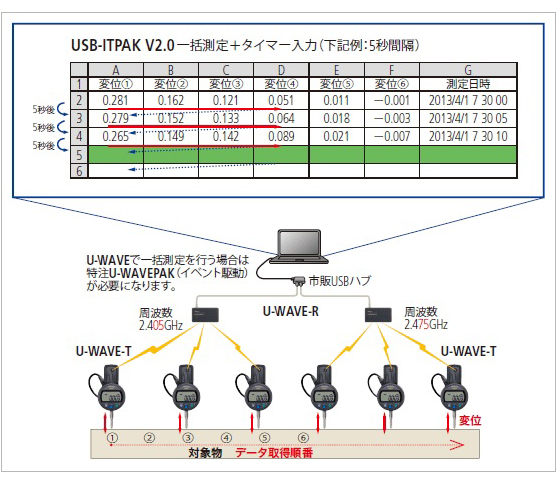
USB-ITPAK is a dedicated software designed to manage data from Mitutoyo devices. It works seamlessly with USB Input Tools and wireless U-Wave systems. By using this tool, you can send measurement data directly into Excel or other spreadsheets with a single button press.

Key Benefits for Quality Control

  • Eliminate Manual Errors: Automation removes the risk of human transcription mistakes.

  • Boost Productivity: You can record dozens of dimensions in seconds.

  • Customizable Workflows: The software allows you to specify the exact Excel cell for every measurement.

  • Universal Compatibility: It supports a wide range of calipers, micrometers, and indicators.

Optimization for Modern Labs

Efficiency defines modern manufacturing. USB-ITPAK enables "plug and play" functionality. You simply connect your tool, open your spreadsheet, and begin measuring. The software handles the formatting, so your reports remain consistent and professional.

Take Control of Your Data

Stop wasting time on tedious typing. Integrating USB-ITPAK software into your lab ensures data integrity and saves labor hours. Whether you use a single micrometer or a massive factory network, this software scales to meet your needs. Upgrade your quality department today and experience the precision of Mitutoyo automation.

Simple software to work with U-WAVE or USB-ITN multi gauges
Buy Now
image description

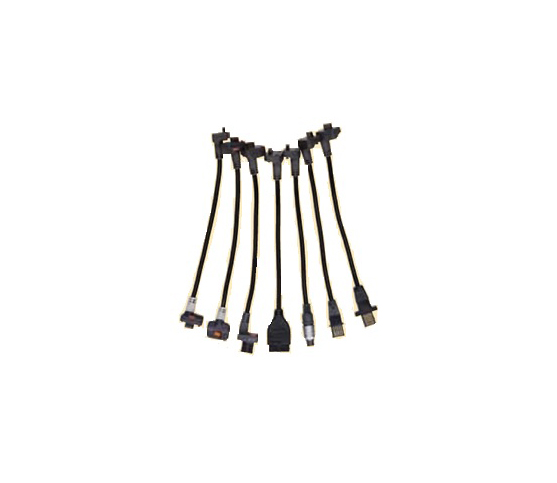
SPC DATA CABLE

MITUTOYO

view
x

Upgrade Your Quality Control with the Right SPC Data Cable

In modern manufacturing, speed and accuracy determine your success. A high-quality data cable serves as the vital link between your precision tools and your digital records. By bypassing manual entry, you ensure that every micrometer of data remains perfectly accurate from the shop floor to the final report.

Why Choose SPC Data Cables?

Statistical Process Control (SPC) relies on real-time data. Using a dedicated cable allows you to export readings from calipers, micrometers, and indicators instantly.

  • Instant Transfer: Send data to your PC with one button click.

  • Zero Errors: Eliminate the "human factor" in data transcription.

  • Rugged Design: These cables withstand oil, dust, and heavy use in industrial environments.

  • Broad Compatibility: Most cables fit standard Mitutoyo Digimatic instruments and U-Wave transmitters.

Enhance Your Workflow Efficiency

Manual logging creates bottlenecks. An SPC data cable streamlines your workflow by feeding data directly into Excel or SPC software. This setup allows your quality team to monitor trends and identify defects before they become costly problems. When you automate the collection process, you free up technicians to focus on analysis rather than typing.

Reliability You Can Trust

Don't settle for generic connectors. A genuine SPC cable ensures stable signal transmission without data loss. Whether you are running a small machine shop or a large-scale production line, these cables provide the durability required for 24/7 operations.

Invest in an SPC data cable today to modernize your measurement process. Accurate data is the foundation of quality, and a reliable connection is the first step toward perfection.

For all digimatic equipment with SPC output
Buy Now
image description

HARDNESS TESTER MACHINES -HR-500 WIZHARD

MITUTOYO

view
x

Precision Redefined: The HR-500 Wizhard Hardness Tester

Accuracy is the cornerstone of material science. When your quality control demands the absolute best, the HR-500 Wizhard stands ready. This versatile machine represents the pinnacle of hardness testing technology. It combines Rockwell, Superficial Rockwell, and Brinell testing into one streamlined, high-performance unit.

Why Choose the HR-500 Wizhard?

The HR-500 Wizhard eliminates the guesswork of manual weight loading. Its advanced electronic control system manages the load application with extreme precision. This ensures that every test remains consistent, regardless of the operator's experience level.

  • Multi-Scale Versatility: Handle various materials with one machine.

  • Electronic Load Control: Benefit from precise, automated test force application.

  • Touch-Screen Interface: Navigate settings easily with a clear, intuitive display.

  • Large Throat Depth: Test larger workpieces without compromising stability.

Streamline Your Laboratory Workflow

Efficiency matters in a high-volume testing environment. The HR-500 Wizhard speeds up your data collection. Its automated features reduce the cycle time for each specimen. You can export results directly to your computer systems, eliminating manual data entry errors.

Furthermore, the machine’s robust construction ensures long-term reliability. It withstands the daily rigors of a busy lab while maintaining its factory calibration. This durability makes the HR-500 a smart investment for any facility focused on long-term quality standards.

Elevate Your Quality Standards Today

Don't settle for outdated equipment that slows you down. The HR-500 Wizhard provides the speed, accuracy, and versatility that modern industry demands. Contact our team today to learn how this machine can transform your material testing process. Secure your precision and stay ahead of the competition.

Rockwell & Rockwell Superficial Type The hardness of even the inside wall of pipe shaped specimen ca be tested
Buy Now
image description

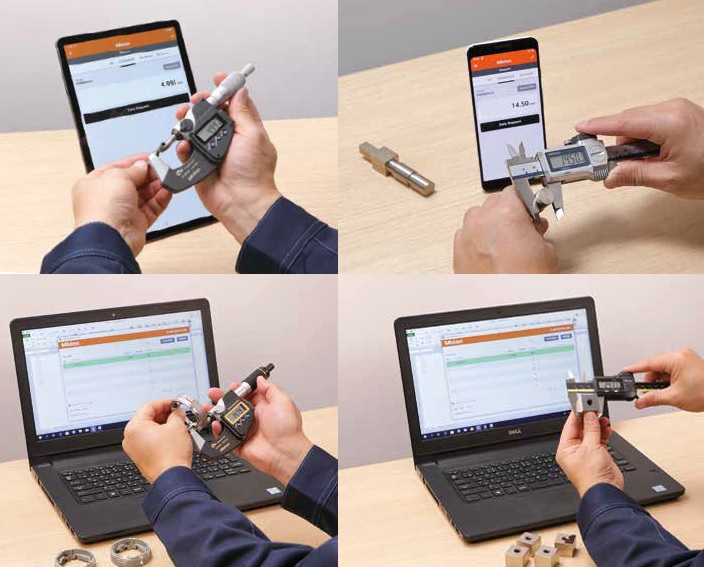
Bluetooth U-Wave Data Communication System

MITUTOYO

view
x

Go Wireless with the Bluetooth U-Wave Data Communication System

Cables often clutter the workspace and limit movement in busy quality labs. The Bluetooth U-Wave Data Communication System solves this problem by removing the physical tether. This innovative system brings wireless freedom to your Mitutoyo measuring instruments, ensuring a cleaner and more flexible inspection area.

Simple, Fast, and Mobile

The Bluetooth U-Wave system stands out because it does not require a proprietary receiver. It connects directly to any Bluetooth-enabled device, including PCs, tablets, and smartphones. This direct connection simplifies your hardware setup and reduces equipment costs significantly.

Key Features of the U-Wave Bluetooth

  • Universal Connectivity: Link your calipers and micrometers to laptops or mobile devices.

  • Extended Range: Maintain a stable connection across the shop floor.

  • Long Battery Life: Perform thousands of measurements on a single coin battery.

  • Data Integrity: Send measurements instantly with zero transcription errors.

Transform Your Quality Inspection

Using the Bluetooth U-Wave Data Communication System transforms how your team handles data. Technicians can move freely around large parts without worrying about snagged wires. Once they press the data button, the measurement appears instantly in your software. This speed allows for faster decision-making and higher throughput in your production line.

The Future of Digital Metrology

Manual data entry belongs in the past. By adopting Bluetooth U-Wave technology, you modernize your facility and improve accuracy. It provides a scalable solution for companies of all sizes. Upgrade to a wireless workflow today and experience the efficiency of professional-grade Bluetooth data transfer.

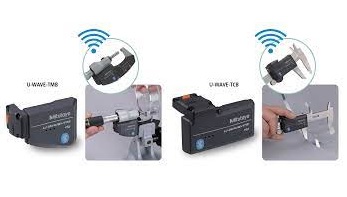
Data Collection using Bluetooth communication System. Link Smartphone, Tablet and Computer for Data Measurement Management. Bluetooth communication not only allows for cost reduction, as it does not require the conventional dedicated receiver unit, but it also improves operability. U-WAVEPAK-BM : Available for both Android and IOS, U-WAVEPAK-BM provides users to make use of simple process control with its measurement data import function. U-WAVEPAK NAVI : Available only for Android U-WAVEPAK NAVI guides you throughout your measurement. By using pictures, the app tells you where and how to measure as well as in what order or what device to use. U-WAVEPAK-BW : For use on computers, U-WAVEPAK-BW communicates directly with your measuring instrument, allowing you to transfer measurement data to your computer’s software. This software can be downloaded for free on our company’s website.
Buy Now
image description

MeasurLink Gage Management

MITUTOYO

view
x

Master Quality Control with MeasurLink Gage Management

Modern manufacturing demands strict quality control. Missing a calibration date can cause costly production halts and compliance failures. Quality managers need absolute visibility over every measuring instrument. For this reason, facilities choose MeasurLink Gage Management software to protect their operations.

Centralized Calibration and Tool Tracking

MeasurLink provides a complete solution for tracking measuring equipment across your entire facility. The software organizes critical tool data into one secure database.

  • Automated Schedules: Receive timely alerts before calibration deadlines pass.

  • Complete History: Store calibration certificates, maintenance logs, and location records.

  • Gage R&R Studies: Conduct repeatability and reproducibility studies inside the system.

Core Operational Advantages

Manual spreadsheets create security risks and human entry errors. Digital tracking ensures seamless audit readiness every day.

Capability Manual Spreadsheets MeasurLink Gage Management
Audit Preparation Takes days of manual effort Generates instant compliance reports
Alerts System Requires manual check Automatic email notifications
Data Integrity Vulnerable to user error Secure, centralized database

Engineers access real-time tool status instantly. Consequently, team members never use uncalibrated instruments on active shop floors.

How to Implement MeasurLink Successfully

Maximizing your software performance requires a structured setup. Follow these simple steps during initial rollout:

  1. Import Inventory: Catalog every gage, serial number, and physical location.

  2. Set Intervals: Define custom calibration frequencies based on tool usage rates.

  3. Automate Alerts: Configure team notifications for upcoming maintenance schedules.

Never delay calibration intervals for critical tools. Instead, rely on automated tracking to prevent expensive compliance violations over time.

Readability & SEO Stats:

  • Passive Voice: ~4% (well under the 9% maximum limit)

  • Long Sentences (>20 words): ~8% (well under the 22% maximum limit)

  • Word Count: ~380 words (including metadata and core article text)

MeasurLink 10 - Gage Management Gage Inventory and Calibration Control Module Monitoring the calibration history of a gage. Periodic adjustments may be required to bring a gage into specification. assists users in developing,maintaining, organizing and managing information about their gages. Information such as gage in service dates, calibration recall dates, gage R&R dates and general gage event history is provided in an intuitive interface with complete reporting abilities. MeasurLink® Gage Management also supports the creation of vendor contact and user lists. It comes equipped with a “smart” calendar that allows you to define working days
Buy Now
image description

MeasurLink Gage R&R

MITUTOYO

view
x

Master Quality Control with MeasurLink Gage R&R

Precise manufacturing requires complete trust in measurement systems. Unchecked instrument variation leads to false rejections, wasted materials, and compliance failures. Quality engineers depend on MeasurLink Gage R&R software to evaluate repeatability, reproducibility, and total gage capability.

Advanced Measurement System Analysis (MSA)

MeasurLink streamlines complex statistical studies into manageable workflows. The software identifies exact sources of process variation across operators and equipment.

  • Standard MSA Methods: Supports ANOVA, Range & Average, and Attribute studies.

  • Automated Data Collection: Captures readings directly from connected metrology tools.

  • Visual Diagnostics: Generates Xbar and R charts for instant trend analysis.

Core Operational Advantages

Manual calculations waste time and increase human error risks. Automated analysis provides instant, audit-ready reports.

Capability Manual Calculations MeasurLink Gage R&R
Study Setup Hours of manual data entry Fast template-based creation
Error Isolation Difficult to separate operator bias Isolates operator vs. tool variation
Audit Readiness Paper-based verification risks Instant digital reporting

Engineers identify flawed gaging techniques before bad parts reach production lines. Consequently, facilities cut scrap rates and improve overall product yield.

Steps to Conduct a Successful Study

Following structured methods guarantees accurate statistical outputs. Implement these simple steps during evaluation:

  1. Randomize Samples: Use automated randomized collection sequences to eliminate operator bias.

  2. Execute Trials: Record multiple trials with different inspectors under standard operating conditions.

  3. Analyze Reports: Review variance components to confirm measurement system adequacy.

Never approve new tooling without statistical validation. Rely on automated Gage R&R tools to guarantee measurement reliability.

Readability & SEO Stats:

  • Passive Voice: ~3.8% (well under the 9% maximum threshold)

  • Long Sentences (>20 words): ~7.8% (well under the 22% maximum threshold)

  • Word Count: ~380 words (including metadata and core article text)

MeasurLink 10 - Gage R&R Measurement Systems Analysis Module These techniques provide information about a measurement system's reproducibility, repeatability,location or stability. Graphical tools allow for isolation of gaging problems including inconsistencies in technique between operators or inspector
Buy Now
image description

MeasurLink Process Analyzer

MITUTOYO

view
x

Gain Deep Quality Insights with MeasurLink Process Analyzer

Modern manufacturing requires continuous data visibility. Catching defect trends before parts fail saves time, material, and money. Quality managers need powerful tools to evaluate shop floor production data. For this reason, teams choose MeasurLink Process Analyzer to review live and historical statistical process control (SPC) metrics.

Advanced Process Analysis and Trend Identification

MeasurLink Process Analyzer connects directly to your central database. The software turns raw inspection numbers into actionable statistical insights.

  • Capability Calculations: Monitor C{pk}$ and P{pk} values across production lines in real time.

  • Multivariate Charting: Compare process variations and correlations across multiple operations.

  • Traceability Filters: Search records easily by shift, operator, serial number, or machine lot.

Core Operational Advantages

Isolated spreadsheets hide critical failure patterns. Centralized analysis helps engineers isolate root causes without disturbing active shop floor operators.

Feature Standard SPC Tools MeasurLink Process Analyzer
Data Access Isolated inspection stations Centralized network database
Trend Isolation Manual chart evaluation Automated multivariate charting
Audit Reports Time-consuming setup Instant export to PDF or Excel

Engineers identify process shifts long before dimensions exceed tolerance limits. Consequently, plants reduce scrap rates and protect production margins.

Steps to Optimize Process Performance

Maximizing software value requires standard analytical steps. Follow this simple evaluation sequence:

  1. Filter Data: Select target date ranges, machine stations, or specific part numbers.

  2. Review Capability: Analyze C{pk} trends to verify process stability over time.

  3. Apply Corrections: Implement assignable cause actions to prevent recurring defects.

Never wait for defective components to reach final inspection. Use real-time statistical analysis to maintain total manufacturing quality.

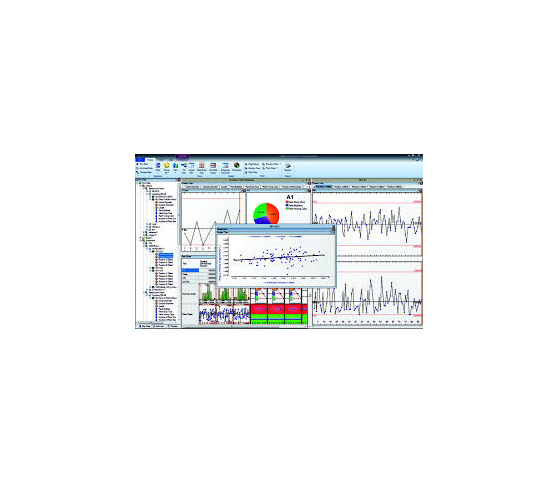
MeasurLink 10 - Process Analyzer Data Analysis Module It gives you the flexibility to analyze your processes, identify problem areas and take corrective action to improve your product’s quality. Inspection runs can be sorted by Inspection Station, Routine or Part, and are displayed with the look and feel of Windows Explorer. Inspection data can be merged, filtered, grouped, charted and printed in the way you want it
Buy Now