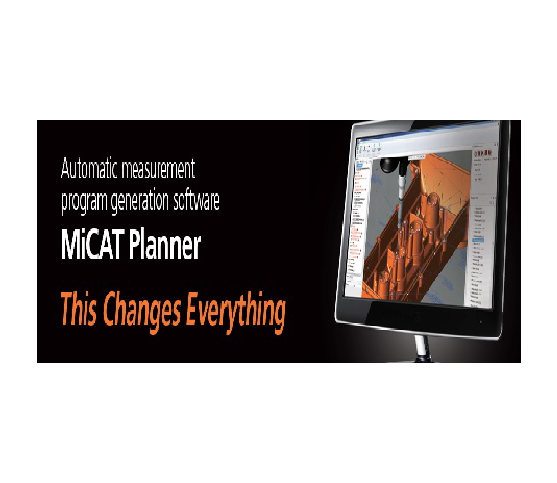
MiCAT PLANNER AUTOMATIC PART PROGRAM
Manual CMM programming consumes valuable engineering hours and creates major inspection bottlenecks. Programmers often spend days clicking CAD models to define probe paths and tolerance checks manually. The MiCAT PLANNER AUTOMATIC PART PROGRAM eliminates this tedious workflow completely. This intelligent software automatically converts 3D CAD models with Product and Manufacturing Information (PMI) into optimized measurement programs within minutes.
Key Features of MiCAT Planner Automatic Part Programming
Quality control teams adopt this smart programming engine for several powerful capabilities:
-
Automatic Path Generation: Reads embedded CAD tolerance data to create collision-free probe paths instantly.
-
Up to 95% Time Savings: Reduces CMM programming time from hours down to just a few mouse clicks.
-
Optimized Probe Movements: Calculates the shortest probe routes to minimize overall cycle times significantly.
-
Universal CAD Compatibility: Supports major 3D CAD formats, including STEP, IGES, and native solid models.
Primary Industrial Applications
High-precision manufacturing sectors rely on this automated software to streamline quality control:
-
Aerospace Component Testing: Program complex turbine blade inspections and engine housing checks rapidly.
-
Automotive High-Volume QC: Generate fast measurement programs for stamped panels, engine blocks, and EV chassis parts.
-
Medical Device Production: Accelerate CAD-based inspection programming for intricate surgical tools and joint implants.
-
Precision Tool and Die QC: Verify complex mold cavities and stamping dies without writing manual code.
Simple Steps for Fast Software Implementation
Follow these simple steps to automate your CMM programming workflow today:
-
Import the 3D CAD File: Load your CAD model containing PMI and GD&T annotations into the software.
-
Select Your Target CMM: Choose your specific coordinate measuring machine and probe head configuration.
-
Run Automatic Generation: Click the plan button to create complete, collision-free measurement routines automatically.
-
Simulate Probe Paths: Run a virtual simulation pass to verify stylus movements and clearance distances safely.
-
Export to CMM Software: Transfer the completed program directly to your CMM execution software for immediate measuring.
Investing in MiCAT PLANNER AUTOMATIC PART PROGRAM software maximizes metrology efficiency and eliminates manual programming errors. Upgrade your CAD inspection workflow today to boost CMM throughput and accelerate product delivery.