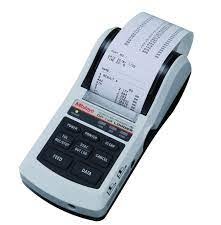
MNI-PROCESSOR Printer DP-1VR
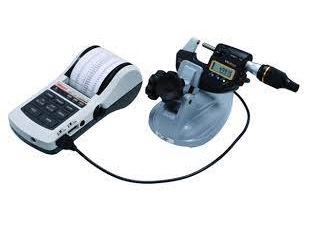
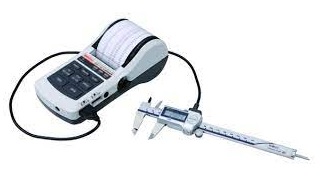
Manual measurement logging creates major quality control bottlenecks and introduces typing errors on shop floors. Technicians lose valuable time writing down caliper readings or copying data onto paper logs manually. The MINI-PROCESSOR Printer DP-1VR solves this record-keeping problem completely. This compact data processor connects directly to digital measuring tools to print live measurement statistics instantly.
Key Features of the DP-1VR Mini-Processor
Quality control teams choose this portable data printer for several essential operational features:
-
One-Touch Printing: Print live measurement values directly from connected gages with a single button press.
-
Built-In Statistical Calculations: Calculate histogram values, mean, maximum, minimum, and standard deviation automatically.
-
Go/No-Go Judgment: Set upper and lower tolerance limits to display clear pass-or-fail results on printed receipts.
-
Versatile Power Options: Run the unit using an AC adapter or standard AA batteries for full portability across the workshop.
Primary Industrial Applications
Inspectors and machinists rely on this data processor across demanding manufacturing environments:
-
Shop Floor Data Collection: Print instant paper inspection records right beside active CNC machining centers.
-
Statistical Process Control (SPC): Track batch manufacturing trends and process capabilities without complex external computer setups.
-
Incoming Receiving Inspections: Generate immediate hard-copy records for incoming raw materials and vendor components.
-
ISO Quality Compliance: File permanent paper measurement receipts directly into job traveler folders for audit tracking.
Simple Steps for Quick Printer Setup
Follow these straightforward steps to start printing quality data within minutes:
-
Connect the Gage Cable: Plug the Digimatic cable directly from your gage into the printer port.
-
Install Thermal Paper: Load a fresh roll of thermal paper into the top paper compartment securely.
-
Power On the Unit: Press the power button and select your preferred statistical calculation mode.
-
Set Tolerance Limits: Input upper and lower dimensional limits using the front keypad menu.
-
Print Measurements: Press the data button on your gage to print live values and statistical summaries automatically.
Investing in a MINI-PROCESSOR Printer DP-1VR speeds up quality documentation and eliminates manual logging mistakes. Upgrade your inspection station today to maintain complete traceability across all daily quality checks.
Data processing printer for quality control It not only print data, but performs a variety of statistical analyses, draw histograms and D charts and also perform complex operations on X-bar R control charts