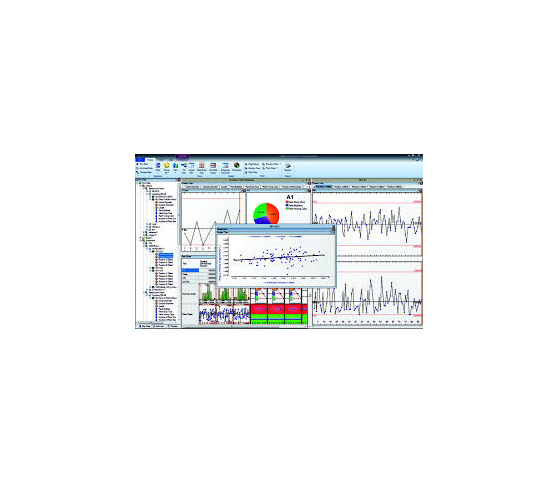
MeasurLink Process Analyzer
Gain Deep Quality Insights with MeasurLink Process Analyzer
Modern manufacturing requires continuous data visibility. Catching defect trends before parts fail saves time, material, and money. Quality managers need powerful tools to evaluate shop floor production data. For this reason, teams choose MeasurLink Process Analyzer to review live and historical statistical process control (SPC) metrics.
Advanced Process Analysis and Trend Identification
MeasurLink Process Analyzer connects directly to your central database. The software turns raw inspection numbers into actionable statistical insights.
-
Capability Calculations: Monitor C{pk}$ and P{pk} values across production lines in real time.
-
Multivariate Charting: Compare process variations and correlations across multiple operations.
-
Traceability Filters: Search records easily by shift, operator, serial number, or machine lot.
Core Operational Advantages
Isolated spreadsheets hide critical failure patterns. Centralized analysis helps engineers isolate root causes without disturbing active shop floor operators.
| Feature | Standard SPC Tools | MeasurLink Process Analyzer |
| Data Access | Isolated inspection stations | Centralized network database |
| Trend Isolation | Manual chart evaluation | Automated multivariate charting |
| Audit Reports | Time-consuming setup | Instant export to PDF or Excel |
Engineers identify process shifts long before dimensions exceed tolerance limits. Consequently, plants reduce scrap rates and protect production margins.
Steps to Optimize Process Performance
Maximizing software value requires standard analytical steps. Follow this simple evaluation sequence:
-
Filter Data: Select target date ranges, machine stations, or specific part numbers.
-
Review Capability: Analyze C{pk} trends to verify process stability over time.
-
Apply Corrections: Implement assignable cause actions to prevent recurring defects.
Never wait for defective components to reach final inspection. Use real-time statistical analysis to maintain total manufacturing quality.
MeasurLink 10 - Process Analyzer Data Analysis Module It gives you the flexibility to analyze your processes, identify problem areas and take corrective action to improve your product’s quality. Inspection runs can be sorted by Inspection Station, Routine or Part, and are displayed with the look and feel of Windows Explorer. Inspection data can be merged, filtered, grouped, charted and printed in the way you want it