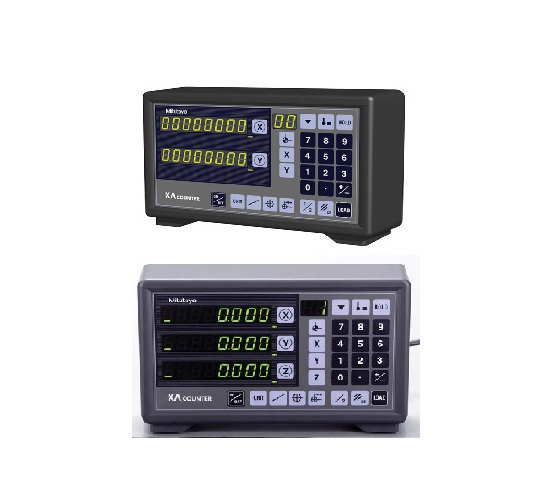
KA COUNTER
Mastering the KA Counter: Upgrade Your Machine Tool Precision
Maintaining high accuracy across manual milling, turning, and grinding operations requires reliable positioning feedback. Manual scale readings consume valuable time and increase human error risks. Modern machine shops rely on digital readout displays to streamline production workflows. A KA Counter delivers exceptional reliability, high-resolution axis tracking, and clear visual readouts for industrial machine tools.
What Is a KA Counter?
A KA Counter is a high-performance digital readout (DRO) display unit. It connects directly to linear glass or magnetic scales mounted on machine slides. The counter processes movement signals instantly, converting mechanical displacement into precise digital coordinates on bright LED displays. Operators track multi-axis movements effortlessly without relying on manual handwheel graduations.
Key Operational Advantages for Machine Shops
Integrating a digital display unit onto your shop equipment yields immediate production improvements:
-
Boosts Machining Speed: Operators position cutting tools rapidly, cutting job setup times and overall cycle length.
-
Reduces Scrap Rates: Clear numerical displays prevent misreading errors, saving costly raw material stock.
-
Advanced Functionality: Built-in features like bolt-hole circle calculations and tool offsets simplify complex milling jobs.
-
Durable Shop Design: Sealed membrane keypads protect internal circuits against oil splash, coolants, and airborne dust.
How to Operate a KA Counter Correctly
Get maximum accuracy from your display counter by following these core steps:
-
Power On and Zero: Turn on the unit and press the zero key for each active axis before starting.
-
Select Operating Modes: Choose absolute or incremental mode depending on your technical drawing requirements.
-
Set Datum Points: Touch off your workpiece edge with an edge finder and enter preset coordinate values into memory.
-
Execute Machine Cuts: Traverse your machine axes while watching real-time coordinate changes on the high-contrast display.
Maintenance Tips for Continuous Accuracy
Protect your DRO system with simple care habits. Wipe the front display panel with a clean microfiber cloth regularly. Check cable connections behind the display box to ensure tight, dust-free fittings. Route scale signal cables away from high-voltage motor wires to prevent electrical interference.
Installing a KA Counter modernizes older machine tools, lowers operator fatigue, and guarantees repeatable precision across every machining project.